Animated XP
Display one or more labeled progression bars with a smooth fill and difference indicator.
Display one or more labeled progression bars with a smooth fill and difference indicator.

Turn the end of an encounter into an event. Broadcast animated XP progression and rarity-styled loot to every player, with a preview before the big reveal.
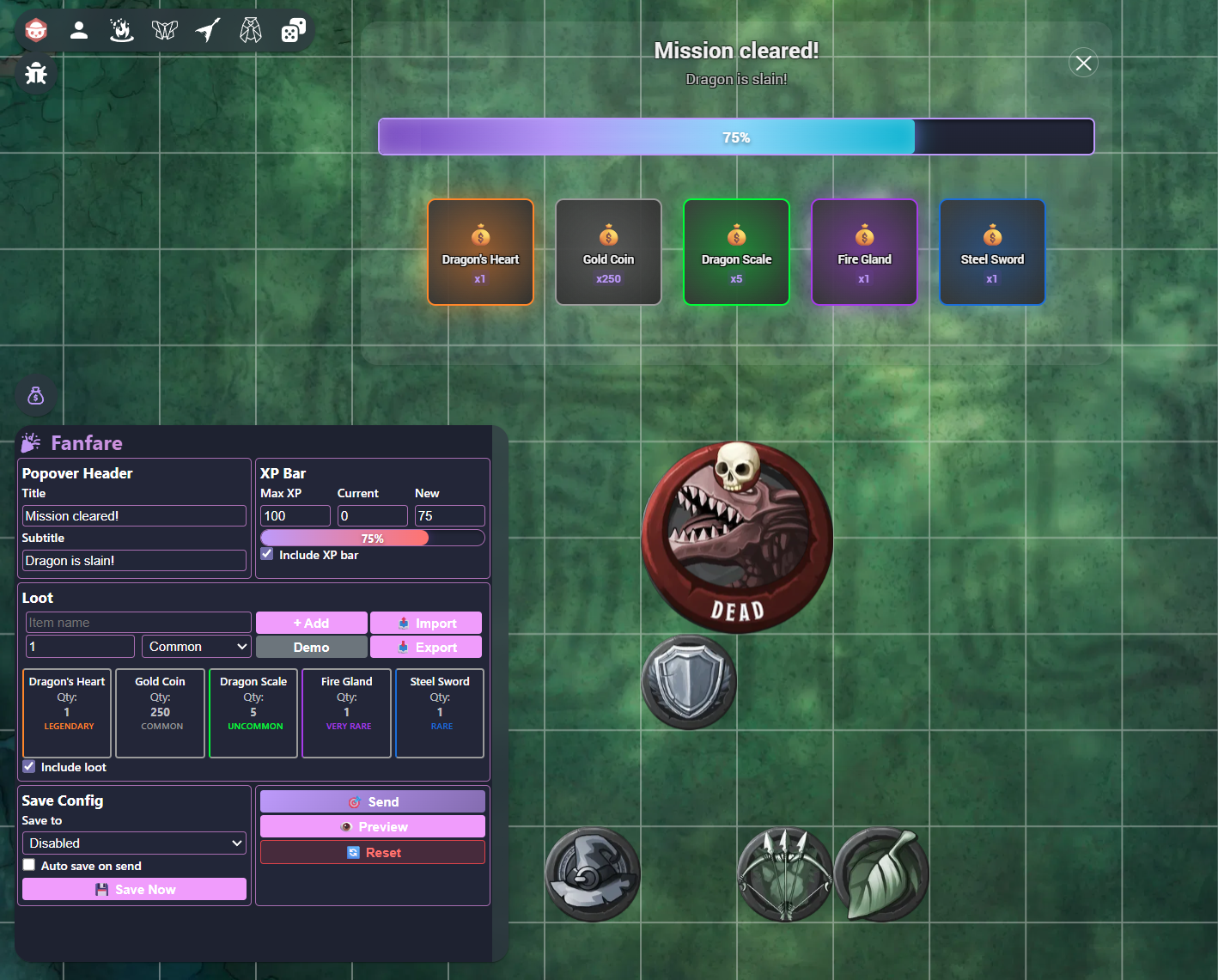
Configure rewards in the GM panel, then reveal them in a theme-aware popover for everyone at the table.
https://fanfare.onrender.com/manifest.json
Write a title and optional subtitle for the reward announcement.
Add the XP bars and loot items you want players to receive.
Use Preview to open the result locally without notifying the rest of the room.
Broadcast the finished reward popover to all players and the GM.
Add as many progression bars as your reward needs. Each bar can carry its own label and can be enabled or disabled before sending.
| Field | Purpose |
|---|---|
Label | Identifies the progression represented by this bar. |
Max XP | Defines the total value used to calculate the displayed percentage. |
Current | The starting value, shown before the fill animation progresses. |
New | The resulting value after the reward has been applied. |
Every loot entry has a name, a quantity, and one of five rarity levels. Rarity controls the border, color, and glow used during the reveal.
Export a loot list for reuse or import an existing list with this structure:
[
  {
    "name": "Dragon Scale",
    "quantity": 5,
    "rarity": "uncommon"
  },
  {
    "name": "Dragon's Heart",
    "quantity": 1,
    "rarity": "legendary"
  }
]Opens the reward presentation only on your own screen. Players receive nothing until you press Send.
Saves the complete setup to the current scene metadata. Use this for rewards tied to a particular map or encounter.
Saves the setup to room metadata so it remains available when moving between scenes.
Need help, found a bug, or want to suggest an improvement? Choose whichever channel works best for you.
@citron3400
Join server
GitHub Issues
Report a reproducible bug or request a feature.
Open an issue